 Ultimate Dashboard
Add to Chrome
The last new tab dashboard you’ll ever need.
Clock, weather, search, bookmarks and a to-do list, on cards you can move. Your stuff stays on this computer. No account.
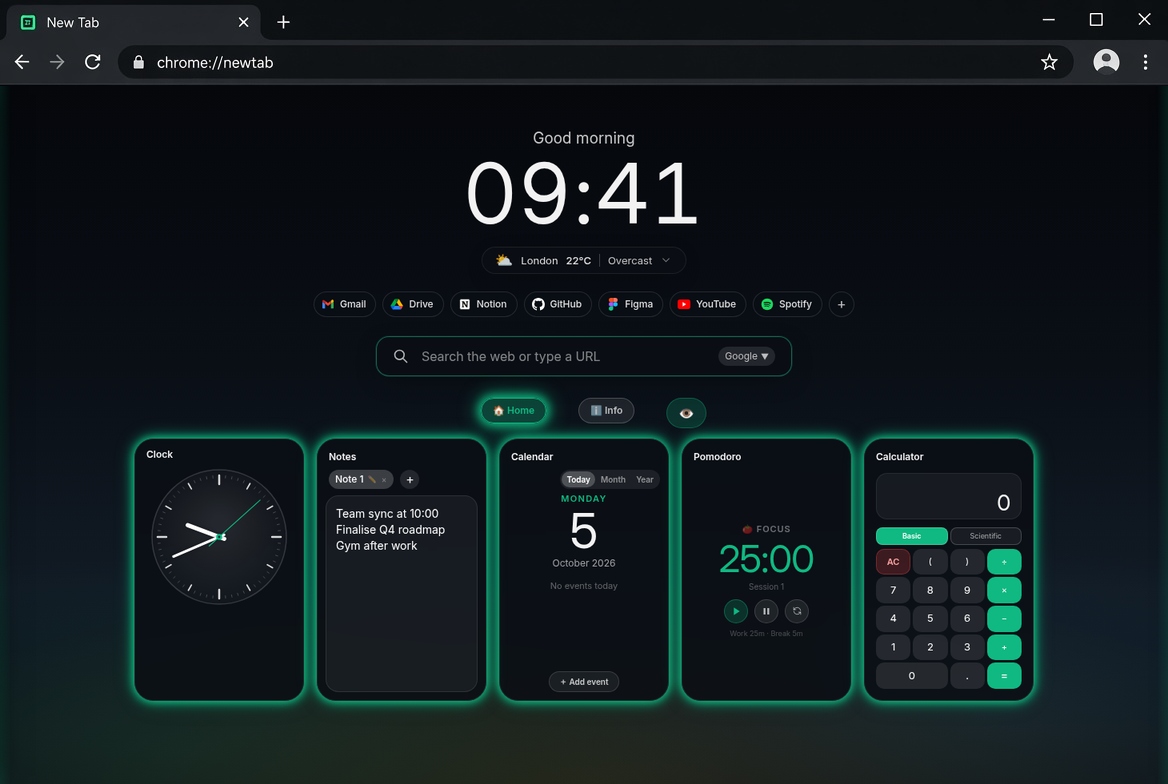
What you get on day one
The free version is meant to be used. Paid plans add more room, not the basics.
It opens with the tab
Open a new tab and the page is already there. Search the web, or type a site address, from the same page.
Bookmarks and a to-do list
Your sites on one side. A list, with optional due dates, on the other. Leave them open if you use them every day.
Cards you can move
Clock, weather, notes, calculator, calendar, quotes, a countdown and a focus timer. Drag them. Resize them.
Stays on this computer
Notes, bookmarks and lists are saved on this machine. Weather and news only look anything up if you add those cards.
Chat, if you want it
On a paid plan you can add a chat card. You bring your own key. It goes only to the service you picked.
New: search by voice
Click the microphone in the search bar and say what you are looking for. Chrome asks once for microphone permission.
New: line up your cards
In edit mode, Shift or Ctrl + click cards, then align them or give them the same width, height or size. Cards now keep their place when you resize the window.
New: make the greeting yours
Write your own greeting and pick its size, font and a colour for every letter, with Rainbow and SA flag presets. Light accent colours now get dark button text so everything stays readable.
Emojis and recent searches
The Emoji Library card finds and copies any emoji, offline. The Recent Searches card lets you run a past search again. Both are free on every plan.
Try everything for 7 days
New installs get every Pro feature free for 7 days. After that Basic stays free, with clock, weather, bookmarks, notes, to-do with due dates, calendar reminders and 1 RSS feed.
Pricing
Prices are in US dollars. Payments are handled by Lemon Squeezy. We never see your card.
- 15 cards
- Clock, weather, notes, bookmarks, tasks
- Calculator, calendar, quotes, countdown, focus timer
- Emoji Library, Recent Searches
- To-do due dates, calendar reminders
- RSS reader with 1 feed
- No account
- or $24 / year
- 30 cards
- Every card type
- Rich-text notes, unlimited RSS feeds
- Chat with your own key, charts, themes
- Save a copy of your layout. No ads.
- or $59 / year
- As many cards as you want
- Everything in Classic
- Reminder bells on each task
- Share prices and alerts
- Shared boards, when that is ready
- Pay once. No renewal.
- As many cards as you want
- Everything, including later Pro tools
- Priority support
New installs get the full Pro plan free for 7 days, no card needed. After that Basic stays free. A paid key works on one computer.
Get it
Free on the Chrome Web Store. Paid plans are optional.
Try the free version first
Add to Chrome. The free version is enough to try it. You can buy a plan later, from the prices above. One paid key works on one computer.